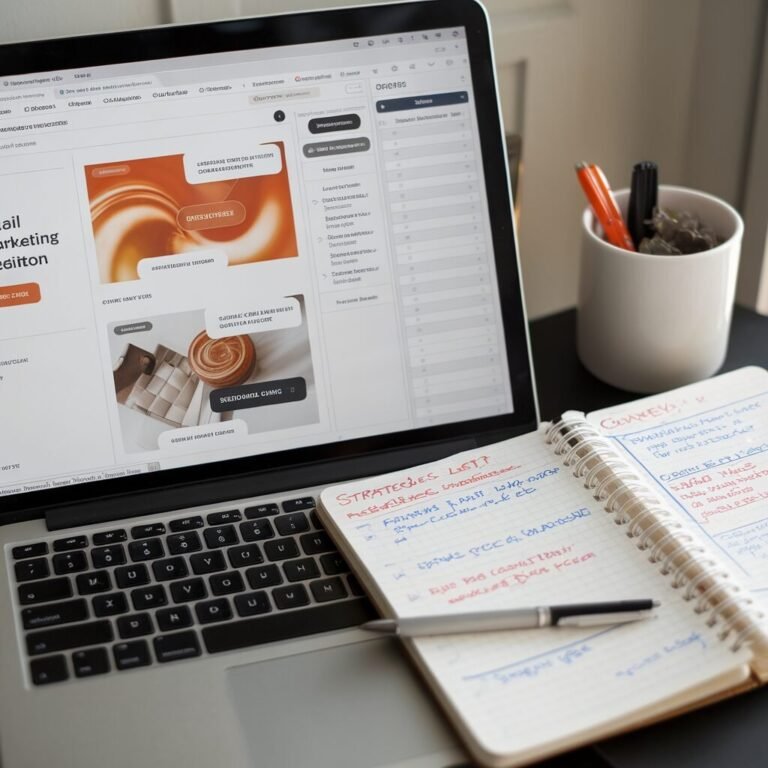
Course in Social Media Management Tools for Events
The Course in Social Media Management Tools for Events is a 100% online short course (150 hours, 8 weeks) for anyone who wants to build practical skills in social media management tools for events. You learn through practical modules and real case studies, guided by tutors with industry experience.
New intake every two months · Interest-free payment plans · ESINEV certificate of completion (non-accredited training).
Overview
The Course in Social Media Management Tools for Events prepares you to work with confidence on projects related to Social Media Management Tools for Events. You will learn to:
- Analyse needs, risks and opportunities.
- Design realistic solutions, plans and procedures.
- Coordinate teams, vendors and resources.
- Define KPIs to measure and improve results.
Studying from Australia
This programme is delivered 100% online in English, so you can study from anywhere in Australia — Sydney, Melbourne, Brisbane, Perth, Adelaide or Auckland — and fit your learning around work. The skills covered apply directly to events across Australia, from conferences and exhibitions to weddings and festivals. Fees are shown in Australian dollars (AUD) and can be spread with interest-free instalments.
About your certificate
ESINEV programmes are non-degree professional training delivered 100% online. On completion you receive an ESINEV certificate of completion. ESINEV is a private online training provider: this programme is not an Australian degree or AQF qualification, and is not accredited by TEQSA or ASQA.
Your learning path
Curriculum
A 150-hour program in 5 modules to plan, publish, monitor and measure event communication on social media using professional tools.
Submodule 1.1. The role of social media in the event cycle
Define social media objectives before, during and after the event.
Submodule 1.2. Choosing platforms
Select Instagram, LinkedIn, TikTok, X or Facebook according to the audience.
Submodule 1.3. Communication identity and tone
Establish voice, visual style and posting guidelines.
Submodule 1.4. Event hashtag and community
Create hashtags and activities that bring the conversation together.
Submodule 1.5. Social media communication plan
Write a plan with objectives, audiences, messages and a schedule.
Submodule 2.1. Scheduling tools
Schedule content with tools such as Meta Business Suite, Hootsuite or Metricool.
Submodule 2.2. Editorial calendar
Organise content by launch, sales and coverage phases.
Submodule 2.3. Designing graphics
Create visuals with templates in tools such as Canva.
Submodule 2.4. Short-form video editing
Produce reels and vertical videos with mobile apps.
Submodule 2.5. Asset library and approvals
Manage assets, versions and client approval workflows.
Submodule 3.1. Real-time coverage plan
Assign roles, schedules and key moments for posting.
Submodule 3.2. Stories, live video and ephemeral content
Show the event in real time with instant formats.
Submodule 3.3. On-screen social walls
Display moderated attendee posts at the event.
Submodule 3.4. Collaborating with influencers and speakers
Coordinate posts by guest profiles and ambassadors.
Submodule 3.5. User-generated content
Encourage and reuse attendee posts with permission.
Submodule 4.1. Monitoring and social listening
Track mentions, sentiment and conversation trends.
Submodule 4.2. Community management and replies
Handle comments and messages promptly and with good judgement.
Submodule 4.3. Social media advertising
Set up targeted campaigns to sell tickets or drive registrations.
Submodule 4.4. Pixels and custom audiences
Use retargeting to win back interested users who did not convert.
Submodule 4.5. Social media crisis management
Respond to viral complaints with escalation protocols.
Submodule 5.1. Social media KPIs for the event
Define reach, engagement, clicks, registrations and conversions.
Submodule 5.2. Analytics tools
Extract data from native insights and external dashboards.
Submodule 5.3. Attributing sales to social media
Use UTM-tagged links to measure the impact on registrations.
Submodule 5.4. Social media results report
Present visual results and conclusions to the client.
Submodule 5.5. Post-event community
Keep the audience engaged until the next edition.
Social media plan for an event, including an editorial calendar, live coverage, a paid campaign and a KPI report.
Career paths
This program strengthens your profile for roles related to Social Media Management Tools for Events: project coordination, operations, consulting and specialised event services at agencies, venues, hotels and corporate event teams.
Admissions
- Request information
Leave your details and an adviser will contact you.
- Guidance call
We review your profile and career goals.
- Enrolment and access
Secure your place and get access to the campus.
Fees & payment
Indicative instalment. Please confirm payment terms with the admissions team.
Frequently asked questions
Is this an official degree?
On completion you receive an ESINEV certificate. It is not an official degree; recognition can be assessed depending on the programme you complete and local regulations.
How long is it and how many hours?
Duration: 8 weeks. Study load: 150 hours, designed to fit around your work.
Is it taught online?
Yes. It is 100% online, with a virtual campus, downloadable materials and tutoring from industry professionals.
Can I pay in instalments?
Yes. Payment: Up to 5 monthly payments. The admissions team will confirm the terms.
When can I start?
Classes start exactly one month after you enrol: if you enrol today, you start on 28 December 2026. Enrolment is open all year and closes every Friday.
Shall we talk about your future in events?
Leave your details and an adviser will walk you through the programme, dates and payment options.
WhatsApp